


Pocketmags Magazine Newsstand
4.5319.00 Reviews
App Specs
- Version
- 7.12.4
- Updated On
- License
- Free
- Downloads
- 100,000+
- Developer
- Pocketmags.com
- Categories
- News & Magazines
- Platform
- Android
Screenshots




 Analysis by AppCompare
Ever found yourself in a situation where you're stuck in a waiting room or maybe on a long commute, and you just need something to dive into? Well, that's where Pocketmags Magazine Newsstand comes in clutch. I’ve been exploring this app, and let me tell you, it's like having a mini library right in your pocket.
Why the first week feels promising
The immediate appeal is variety: instead of opening a general news feed and hoping its algorithm surfaces something interesting, I can browse magazine titles around a specific interest. That makes the app useful when I want a deliberate read rather than a stream of headlines. Pocketmags.com develops this free news and magazine app, and its Teen content rating makes it more suitable for older readers than for young children browsing unsupervised.
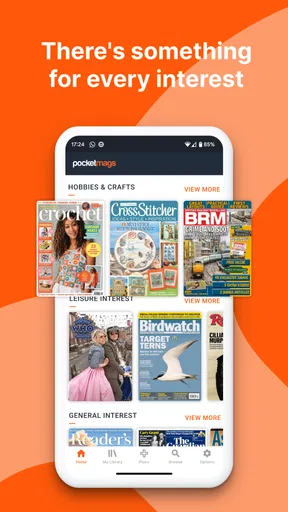
Its discovery-first approach works best when I arrive with a subject in mind but not necessarily a publication. A search for a hobby or a place I’m planning to visit can help narrow the shelf, while browsing can expose me to specialist titles I would not think to search for by name. That is a different sort of discovery from a social feed: less immediate, but more likely to lead to a full issue I can return to.
In an ordinary week, I might browse while waiting for an appointment, choose an issue connected to a trip, then read a few pages during the journey home. The point is not that every spare minute needs filling; it is that the app gives a magazine reader a more purposeful option than repeatedly refreshing short updates. Its strongest early draw is the chance to match a whole publication to an interest, not just collect passing articles.
Endless Content at Your Fingertips
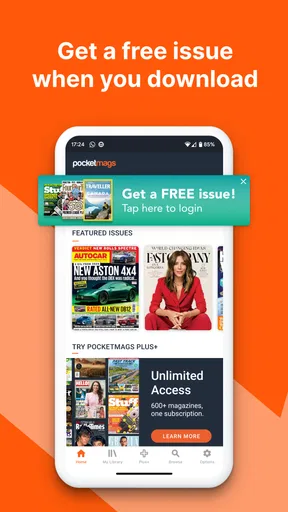
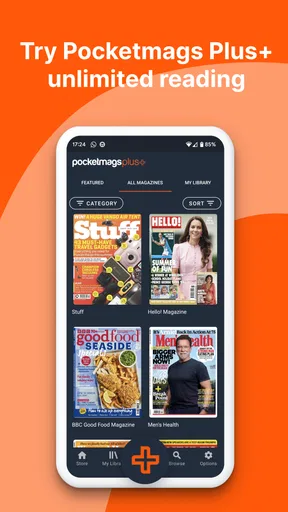
When you first open Pocketmags Magazine Newsstand, it’s like stepping into a virtual bookstore. The array of magazines is downright impressive. Whether you’re into fashion, tech, travel, or food, there’s something for everyone. I got lost browsing titles I didn’t even know existed. It’s not just the big names; you'll find niche publications that cater to the most specific interests.
The interface is sleek and user-friendly. You can search for new magazines or quickly access your favorites. I found the search function particularly helpful. Just type in a keyword, and boom, a plethora of options appears. It’s a breeze to find exactly what you’re looking for.
Reading Experience
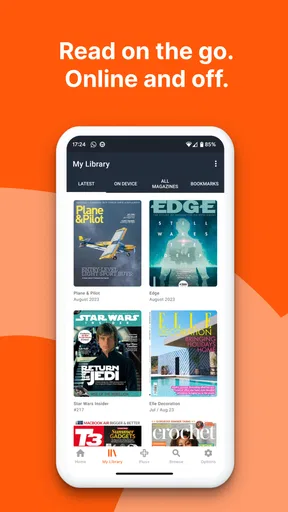
Reading on Pocketmags is surprisingly pleasant. The app offers a smooth scrolling experience, and the text is crisp. You can zoom in on images and text, which is perfect for those detailed articles where every word matters. Plus, the offline reading feature means you can download issues to read without an internet connection. This came in handy during my recent flight.
Worth Reading Before You Choose

Flipboard Shows What News Apps Must Do Beyond the Feed

Switching to Android Auto Means Rethinking Your Driving Routine

Google Calendar Makes a Crowded Week Easier to Manage

Ludo King Makes the Most of the Minutes Between Plans

Baby Panda World Brings Quick Play to Modern Phones, but Its Game Library Feels Busy

ESPN’s Live Game View Makes Following Close Games Easier
Another feature I appreciated is the customizable reading settings. You can adjust brightness and switch between day and night modes. This ensures that your eyes don’t get strained during those late-night reading sessions.
Making a magazine habit last
After the novelty of browsing fades, I would judge this app by whether it helps me finish issues I have already chosen. A practical routine is to browse on a connected break, pick one issue, download it before leaving home, and read it in small stretches rather than keeping a growing pile of unread editions. Offline access is valuable here not only for flights, but also for commutes through patchy reception or places where I prefer not to rely on mobile data.
There is a useful distinction between a magazine app and a general news reader. News apps are usually better when I want a quick update across many publishers; Pocketmags is more appealing when I want a publication’s longer features, visual layout, and recurring subject focus. It is also different from buying print: digital reading saves shelf space and makes carrying several interests easier, but the feel of paper and a large physical page are not replicated on a phone.
For a reader who follows a few specialist subjects, the most sustainable approach is to treat the library as a small reading queue rather than a catalogue to conquer. I would search before buying, save a title only if I expect to return to it, and use bookmarks for the article or recipe I genuinely want to revisit. That makes the app’s breadth useful without turning browsing into the main activity.
Subscription and Pricing
Now, let’s talk about subscriptions. You can either buy single issues or subscribe to your favorite mags. The app often offers discounts and bundles, which is great if you’re trying to save a few bucks. I noticed that subscribing usually gives you a better deal than buying individual issues.
One thing to keep in mind: the app has in-app purchases, so it’s easy to get carried away. But hey, with the quality and variety you’re getting, it’s worth every penny.
The app itself is free to install, but reading particular publications can involve purchases. In-app items range from $0.99 to $349.99, so I would check the exact offer and what it covers before confirming a transaction rather than assume that a subscription suits every reader. A single issue is a lower-commitment way to test whether a title’s style and subject matter are worth returning to; a subscription makes more sense when I already know I read that publication regularly.
That decision depends on reading pace, not just the apparent discount. If I finish an issue every month, recurring access may fit my habits; if I only dip into a title when a particular topic catches my eye, individual purchases give me more control. I would also avoid subscribing to several magazines at once just because their covers look appealing. A short list of titles I actually open is more valuable than a large account of unread ones.
Maintenance, fatigue, and practical limits
Digital magazines do not need shelf space, but they still need a little housekeeping. I would remove downloaded issues after finishing them when device storage matters, keep the reading queue focused, and download ahead of a trip rather than assume an issue will be available offline automatically. Those small habits make the app easier to keep using and reduce the chance that a planned journey becomes a search for something to read at the last minute.
The main source of fatigue is abundance. A broad catalogue can make browsing enjoyable at first, then leave me spending more time comparing covers than reading. Search is most effective when I use a concrete topic or publication name; vague browsing is better for discovery but can become a loop. Another trade-off is screen reading: zoom and brightness controls help with small text, yet readers who dislike long sessions on a phone may prefer print or a larger screen.
People who mainly want breaking headlines, live updates, or a quick summary of the day should probably use a conventional news app instead. Likewise, someone who buys only an occasional magazine and strongly prefers paper may not get enough recurring value from a digital newsstand. Pocketmags is a better match for readers who enjoy browsing complete issues, keep returning to particular subjects, and are comfortable choosing paid editions when they want them.
Extra Features
Pocketmags isn’t just about reading. The app has a bookmarking feature that allows you to save articles to revisit later. I’ve found this useful for saving recipes and travel tips. You can also share articles with friends, which is perfect for when you stumble upon something too good to keep to yourself.
For those who are environmentally conscious, you’ll appreciate that Pocketmags reduces the need for physical magazines, helping cut down on paper waste. It’s a win-win for readers and the planet.
Bookmarks are most useful when I give them a purpose: a recipe to try, a route idea to check, or a technique I want to remember. Otherwise, saved items can become another unreviewed list. Sharing can make a feature more useful to someone else, but it does not replace the simple choice of sending a title or issue recommendation when the other person has a similar interest.
For travel, I would prepare in two steps: choose the issue while online, then download it before setting off and open it once to make sure it is ready to read. That is a more dependable routine than waiting until a train or plane to discover that I have not prepared anything. It also gives me a chance to decide whether a visually rich issue is comfortable to read on the device I am carrying.
Long-term verdict
Pocketmags has been around since September 28, 2011, and its current version is 7.11.0. It has an average rating of 4.5 from around 2.8 thousand ratings, with about 301 written reviews and over 100 thousand installs. Those figures suggest an established audience, but the more personal test is whether I keep opening it after the initial catalogue tour. For me, that depends on finding a handful of publications that fit real routines rather than treating the entire shelf as a reason to browse endlessly.
Final Thoughts
If you're a magazine enthusiast looking for a convenient way to access a wide range of content, Pocketmags Magazine Newsstand is a fantastic choice. It’s versatile, easy to navigate, and packed with features that enhance the reading experience. Whether you’re a casual reader or a dedicated magazine aficionado, this app has something for everyone. So, grab your phone, download the app, and get ready to immerse yourself in the endless world of magazines. Happy reading!
My recommendation is more measured than “something for everyone”: this is for people who enjoy the magazine format and are willing to make considered choices about purchases. If that describes you, try it with one subject you already follow, see whether reading an issue fits your week, and only then build a wider routine. If you want instant headlines or dislike reading on a screen, another format will serve you better. The app earns lasting space when it turns a few spare moments into reading you genuinely look forward to, not when it simply gives you more covers to browse.
Pros
- Wide range of magazine categories.
- Offline reading mode available.
- User-friendly interface.
- Regularly updated content.
- Supports multiple languages.
Cons
- Some issues with app crashes.
- Limited free content options.
- Occasional slow download speeds.
- No dark mode available.
- Subscription fees can be high.
FAQs for Pocketmags Magazine Newsstand
How can I access my magazines offline in Pocketmags?
Pocketmags allows you to download magazines directly to your device for offline reading. Simply select the magazine you want to read, and tap the download button. Once downloaded, you can access it anytime without an internet connection, making it perfect for travel or commuting.
Is there a subscription fee for Pocketmags?
Pocketmags offers both single-issue purchases and subscription options. Prices vary depending on the magazine, and you can choose to subscribe to your favorite titles for regular issues or purchase individual issues as you prefer. Be sure to check for any available discounts or promotions.
Can I share my Pocketmags subscription with family members?
Currently, Pocketmags does not officially support family sharing for subscriptions. Each account is intended for individual use. However, you can access your account from multiple devices by logging in with the same credentials, allowing you to read your magazines on different devices you own.
What devices are compatible with Pocketmags?
Pocketmags is compatible with a wide range of devices, including smartphones and tablets running Android and iOS. You can also access your magazines via a web browser on a desktop or laptop, making it versatile for various reading preferences and environments.
How do I manage or cancel my subscription in Pocketmags?
Subscriptions can be managed directly through the app or via the Pocketmags website. To cancel, go to your account settings and select the subscription you wish to modify. Follow the prompts to cancel or change your plan. It's important to note that cancellations may not take effect until the next billing cycle.


